
# Change a site's PHP version
Each website on Enhance has control of its own PHP version. By default PHP version {version} is configured on all new websites added to Enhance. Additional domains mapped to a website (add-on domains) use the same PHP version as the primary (root) domain.
Available PHP versions include {versions}
Understanding PHP version tags: Latest version: This is the latest stable version of PHP available.
LTS: Long term support PHP versions are stable and receive regular patches.
Unlabelled: These PHP versions are end of life. This means that bug fixes and security updates are no longer provided for these versions.
# Updates site's PHP version
WARNING
Before changing your site's PHP version please check compatibility with any PHP applications running on your site. Some PHP versions include breaking changes.
To change a website's php version:
- Open Websites in the left side bar
- Select the website you would like to update the php version on
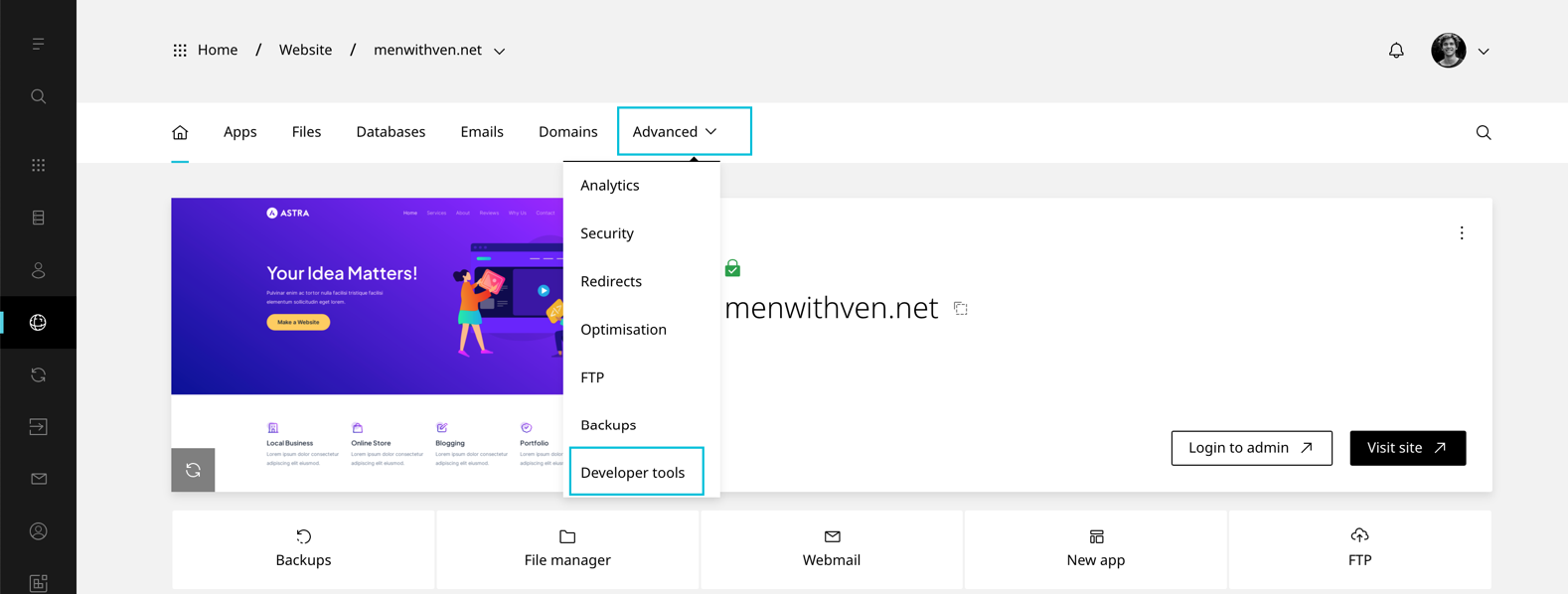
- When the website dashboard loads select Advanced in the top navigation
- Select Developer tools
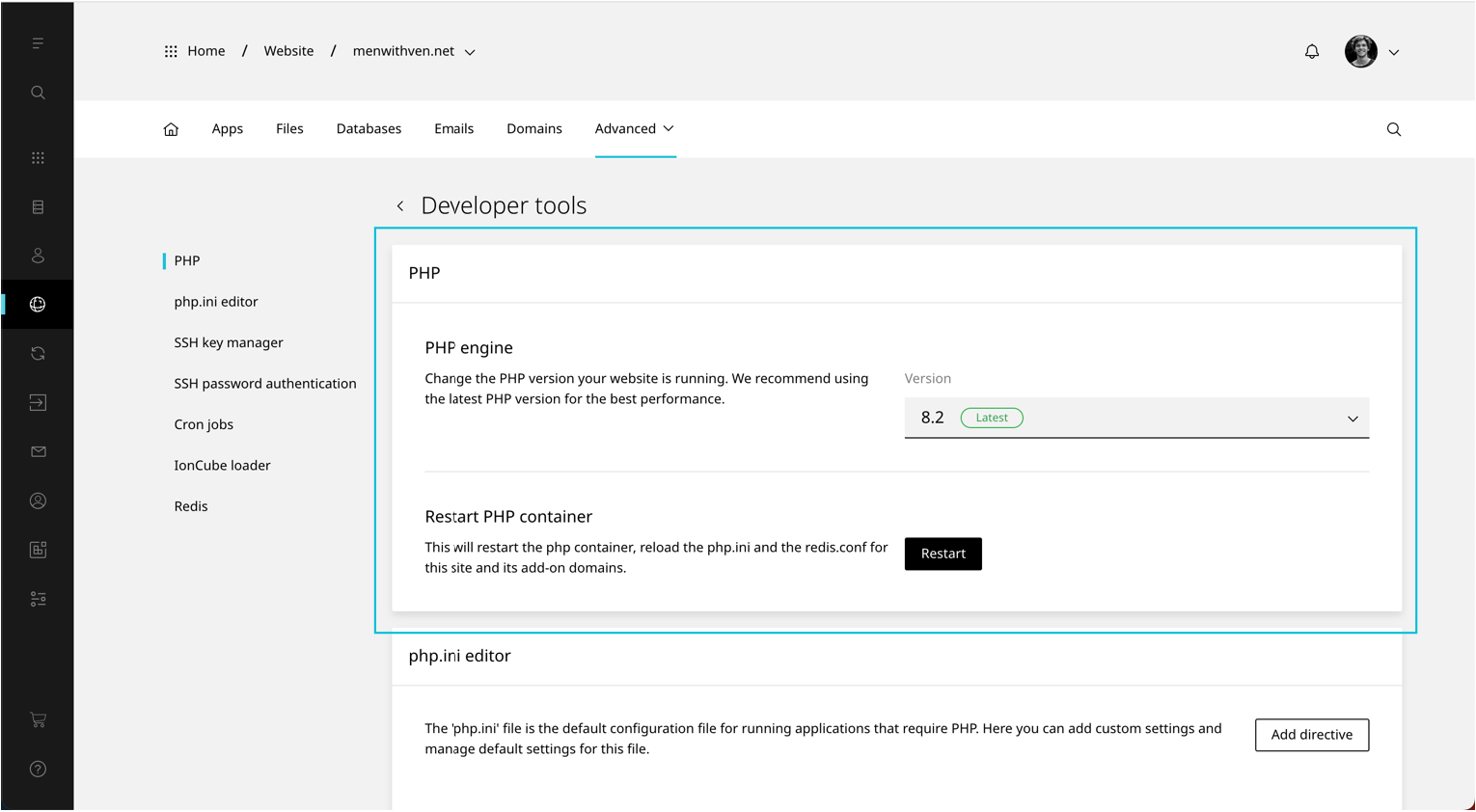
- Scroll to PHP version
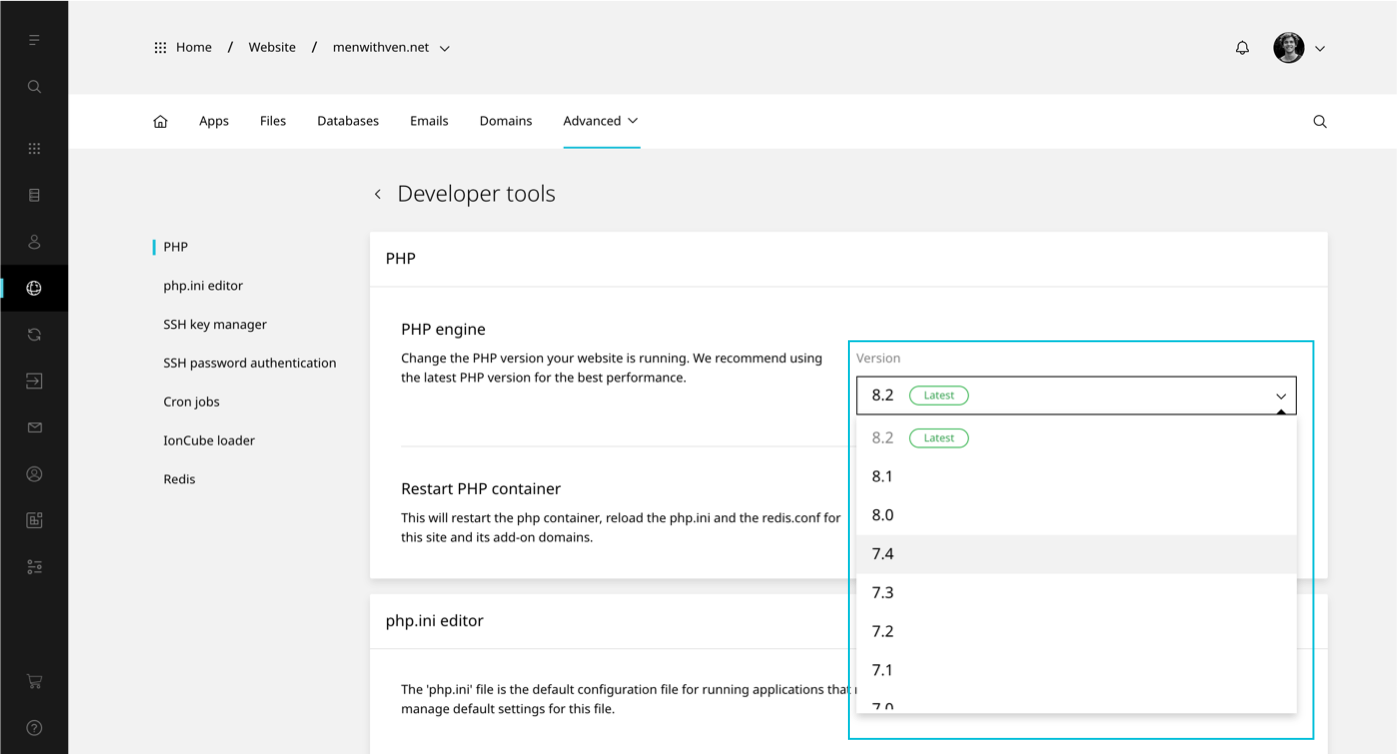
- Selected preferred PHP version from the drop down
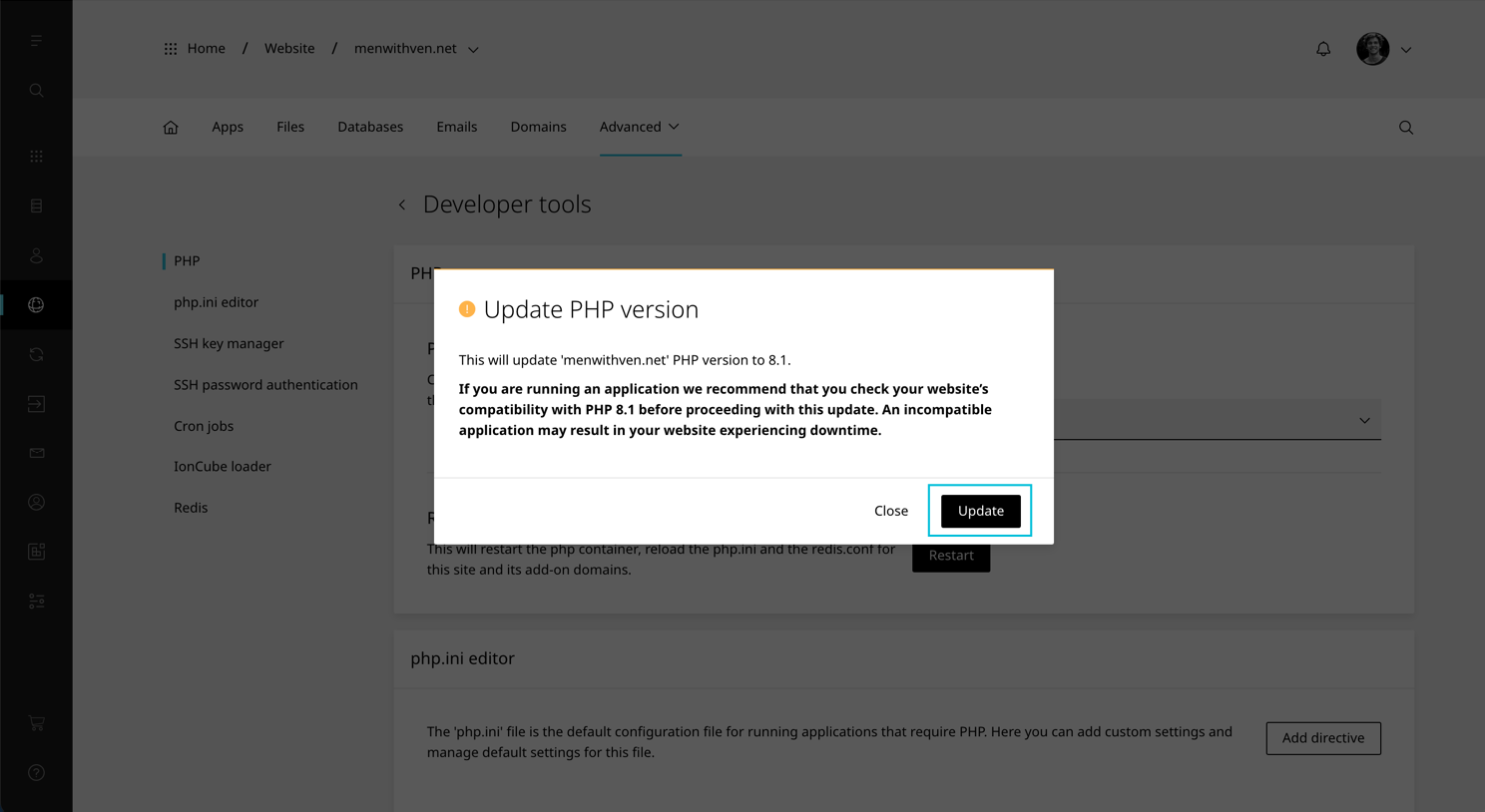
- A confirmation modal will load. Select Update to finish.
TIP
The IonCube loader is not available on PHP 8.0 and 8.3