# Create a Backup
# Configure backup functionality
In order to successfully backup websites the following settings must be configured:
- A Backup role must be installed on a server
- The website must be assigned a 'Backup' role
- The hosting package must allow 'Backups', 'Allow manual backups' and 'Allow self restore backups'
# Generate a Backup
- Open Websites in the left side bar
- Select the website you would like to backup
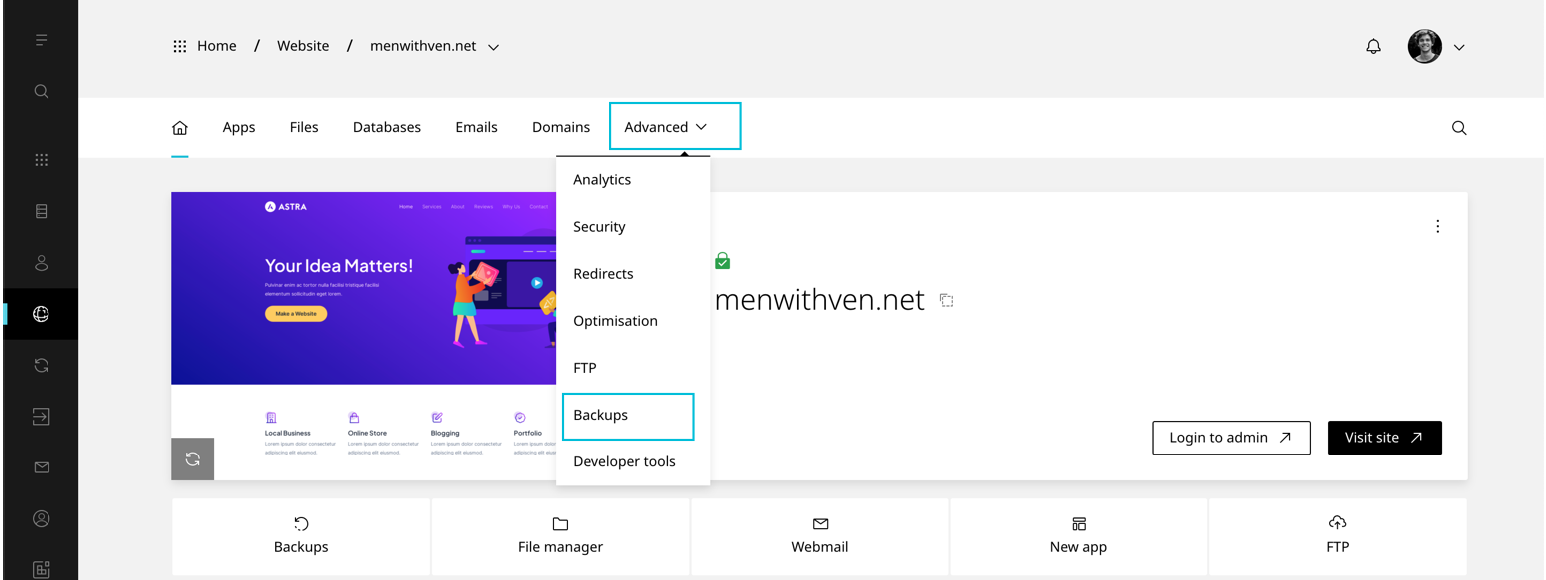
- When the website dashboard loads select the Advanced drop down in the top navigation, then click Backups
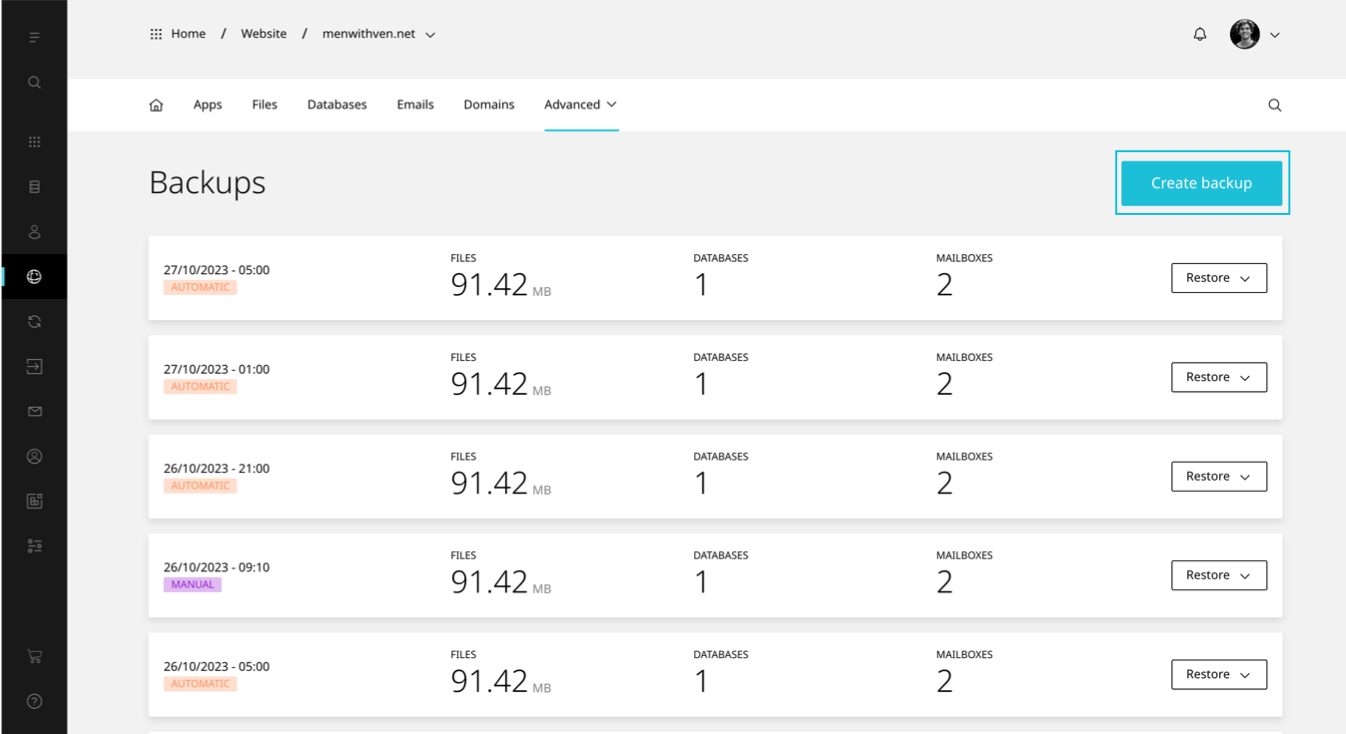
- Select Create backup
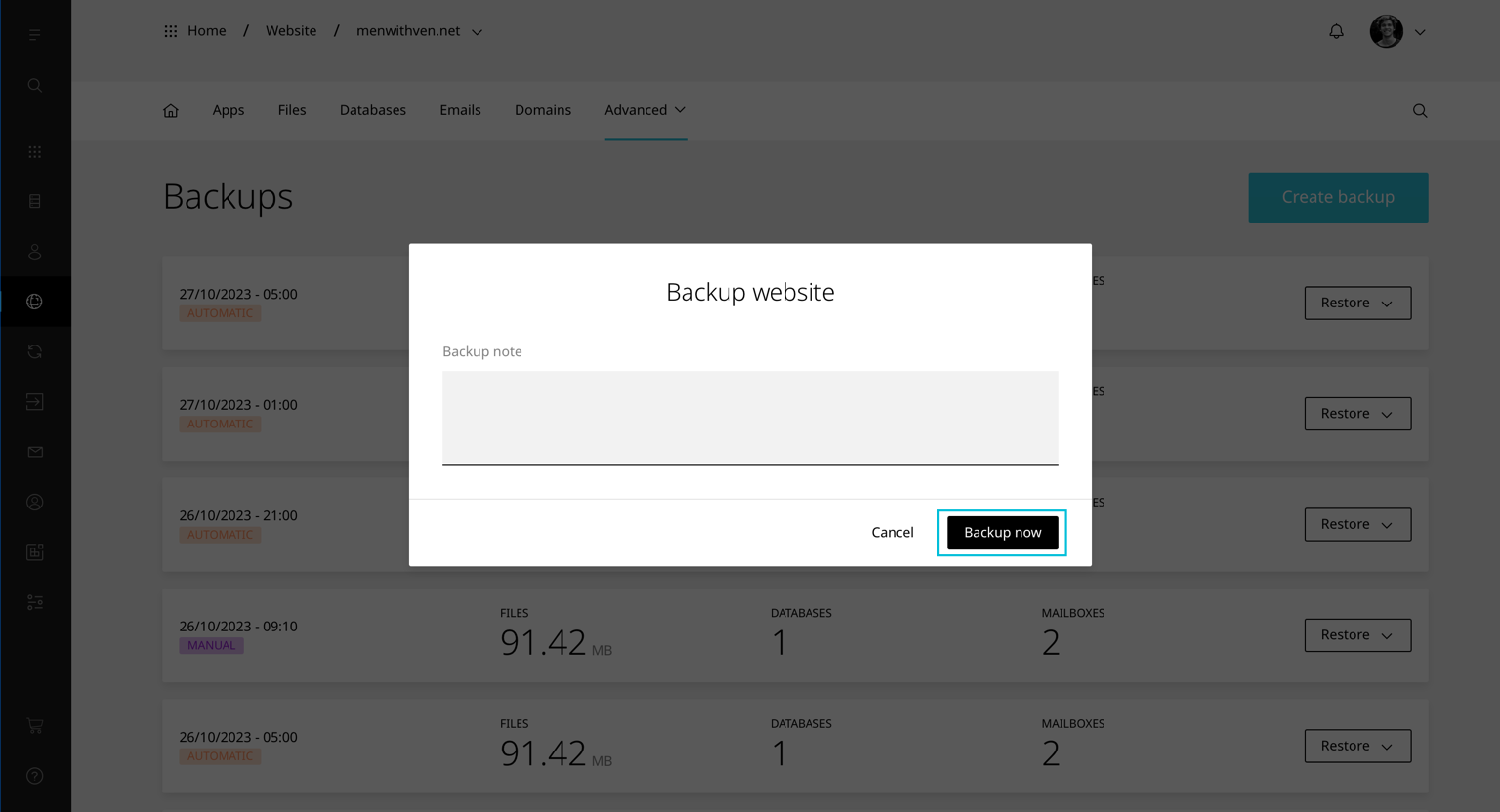
- Enter a Note and click Backup now
TIP
If you do not see the Create backup button check the hosting package has 'Allow manual backups' enabled